
AI-Driven Vendor Intake Experience
Transforming a lengthy vendor submission process into a faster, more accessible, and easier-to-complete digital experience through UX strategy, AI-assisted prototyping, and progressive disclosure.
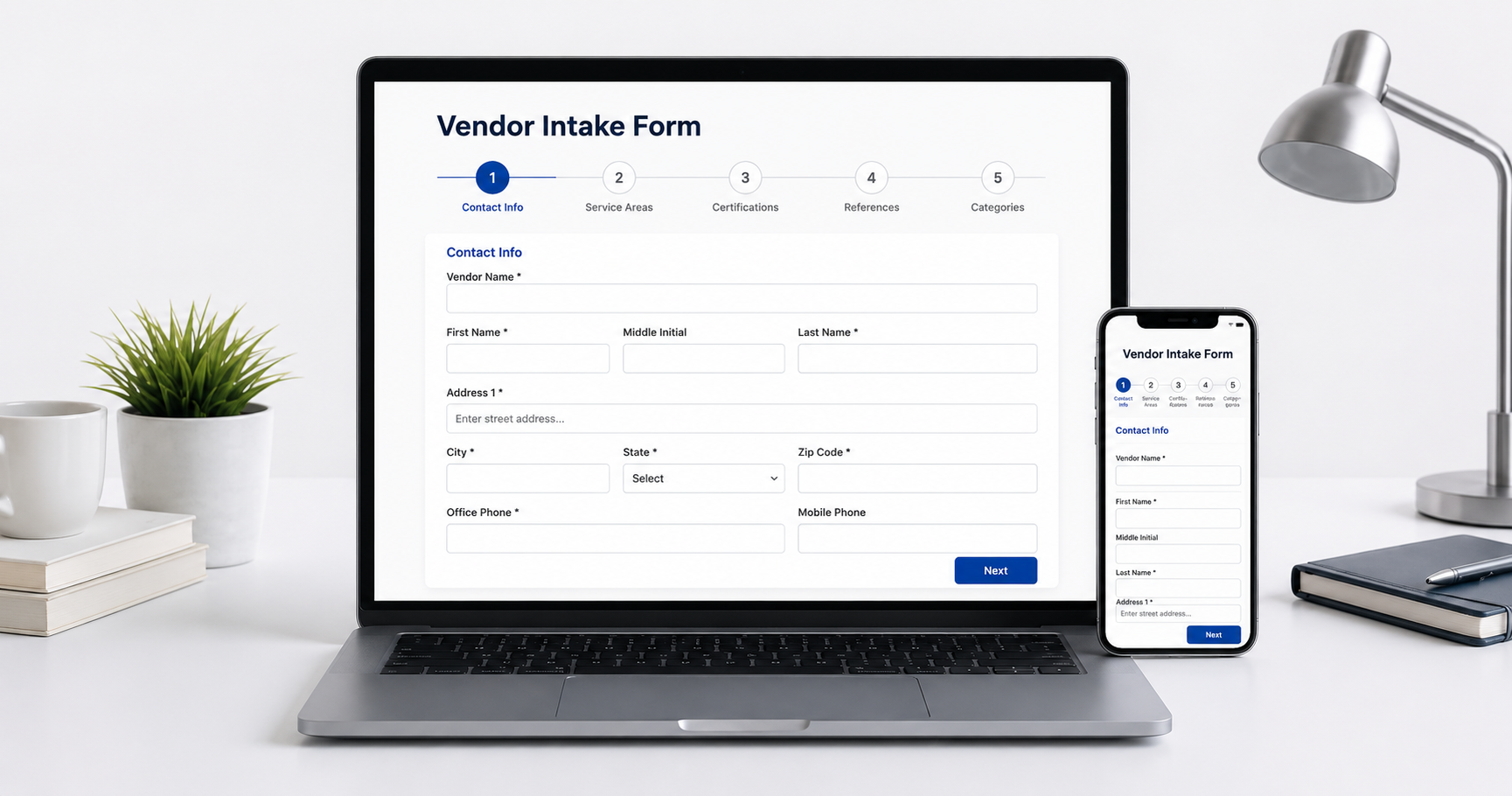
Responsive vendor contact information experience designed for desktop and mobile users.
AI-Driven Vendor Intake Prototypes
Three live prototypes showing how I transformed a long vendor intake process into clearer, more accessible, and more interactive digital experiences using Claude AI and UX design principles.
Why These Demos Matter
Many organizations still collect vendor information through static PDFs or outdated forms. These experiences can create friction, increase errors, and make complex submissions harder to complete. I explored three interaction patterns that use progressive disclosure, guided steps, mobile behavior, and immediate feedback to make the process easier to understand and complete.
Transforming a Complex Process into a Better User Experience
Vendor onboarding often requires collecting a significant amount of information. The challenge was finding a way to simplify a lengthy intake process while maintaining accessibility, improving usability, and preserving the business requirements behind the form.
Challenges
Traditional vendor forms present too much information at once, increasing cognitive load and abandonment.
Static documents provide little guidance, limited validation, and poor accessibility support.
Large desktop forms often become difficult to navigate on smaller screens.
UX Response
Break complex information into manageable sections that reduce visual overload.
Explore accordions, step-by-step workflows, and responsive layouts to improve navigation.
Support keyboard navigation, logical focus order, and clear content hierarchy throughout the experience.
From Research to Interactive Prototypes
Rather than redesigning a form visually, I focused on understanding how users move through complex workflows and explored multiple interaction models to reduce friction while preserving the business requirements.
Research
Reviewed the existing vendor intake workflow to understand the information users needed to provide and where friction typically occurred.
Organize
Grouped information into logical sections using progressive disclosure to reduce cognitive overload and improve navigation.
Prototype
Created multiple interactive concepts including accordions, guided wizards, and responsive layouts to compare different user experiences.
Refine
Iterated on content hierarchy, accessibility, interaction patterns, and mobile responsiveness to improve usability.
Evaluate
Compared each prototype based on clarity, navigation, accessibility, and overall user experience to identify the strengths of each approach.
Why Explore Three Different Approaches?
Rather than assuming one interaction pattern would work best, I developed three concepts to compare how different layouts affect clarity, navigation, accessibility, cognitive load, and responsive behavior.
Accordion Navigation
Keeps the experience on one page while revealing information in manageable sections through progressive disclosure.
Guided Wizard
Leads users through a structured sequence of steps with clear milestones, navigation, and progress feedback.
Responsive Guided Intake
Prioritizes smaller screens, touch interaction, flexible layouts, and contextual guidance throughout the submission process.
Accordion Navigation
A single-page experience that organizes vendor information into expandable sections, helping users focus on one content group at a time without losing access to the full workflow.
Interaction Approach
This concept uses progressive disclosure to reduce the amount of information visible at one time. Users can open, close, and revisit sections while remaining on the same page.
Experience Prototype One
Interact with the live accordion-based vendor intake form.
What to Observe
- Progressive disclosure
- Logical section grouping
- Keyboard interaction
- Reduced visual overload
- Flexible section review
- Responsive resizing
Guided Wizard
A milestone-based experience that breaks the intake process into a sequence of focused steps, helping users understand where they are and what comes next.
Interaction Approach
This concept introduces one primary task at a time and uses visible progress indicators, Next and Back controls, validation, and review opportunities to guide users through the process.
Experience Prototype Two
Interact with the live step-by-step vendor intake wizard.
What to Observe
- Step-by-step guidance
- Visible progress
- Focused task completion
- Back and Next navigation
- Validation feedback
- Review before submission
Responsive Guided Intake
A mobile-aware concept designed around flexible layouts, touch-sized controls, clear feedback, and contextual assistance throughout the vendor submission process.
Interaction Approach
This concept explores how the intake experience can adapt across desktop and smaller screens while preserving hierarchy, readable forms, accessible navigation, and user control.
Experience Prototype Three
Interact with the live responsive vendor intake form with a visual status bar.
What to Observe
- Mobile-first behavior
- Touch-friendly controls
- Responsive field layouts
- Readable content hierarchy
- Contextual feedback
- Consistent desktop and mobile flow
Let’s build your next UX solution
I bridge UX research, content strategy, and front-end prototyping now with AI acceleration. If you’re tackling complex forms, I can help streamline them without sacrificing compliance or accessibility.